iPhone and iPad · Free · No account
Photograph the page.Paste the PDF.Record the lecture.Get flashcards back.
It becomes cards that test you, and every card knows where it came from.
Reviewing, exams and games are free without limit.
Where a card comes from
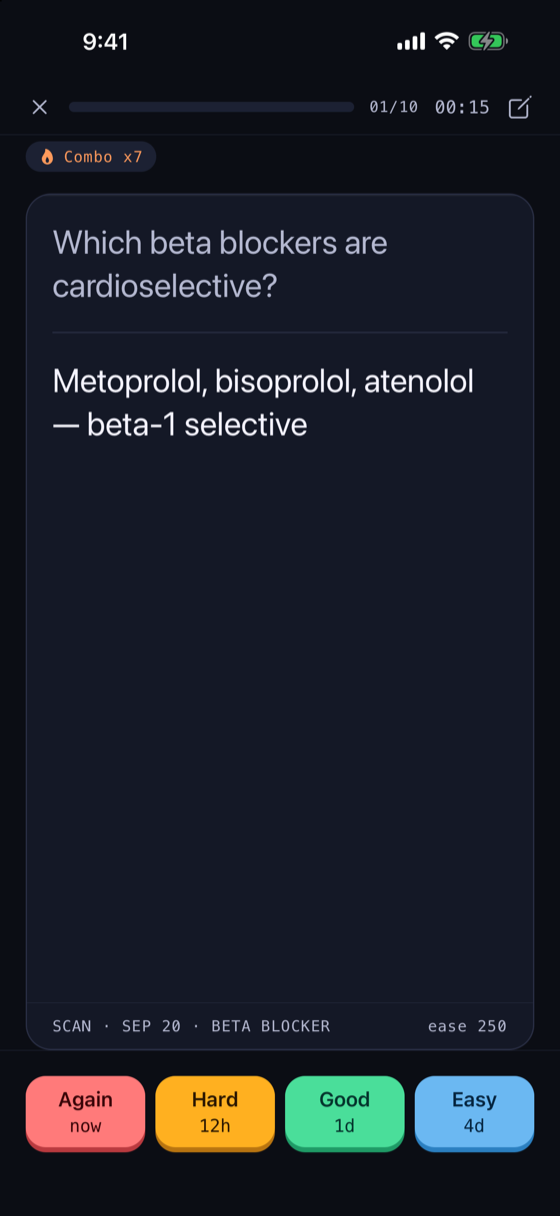
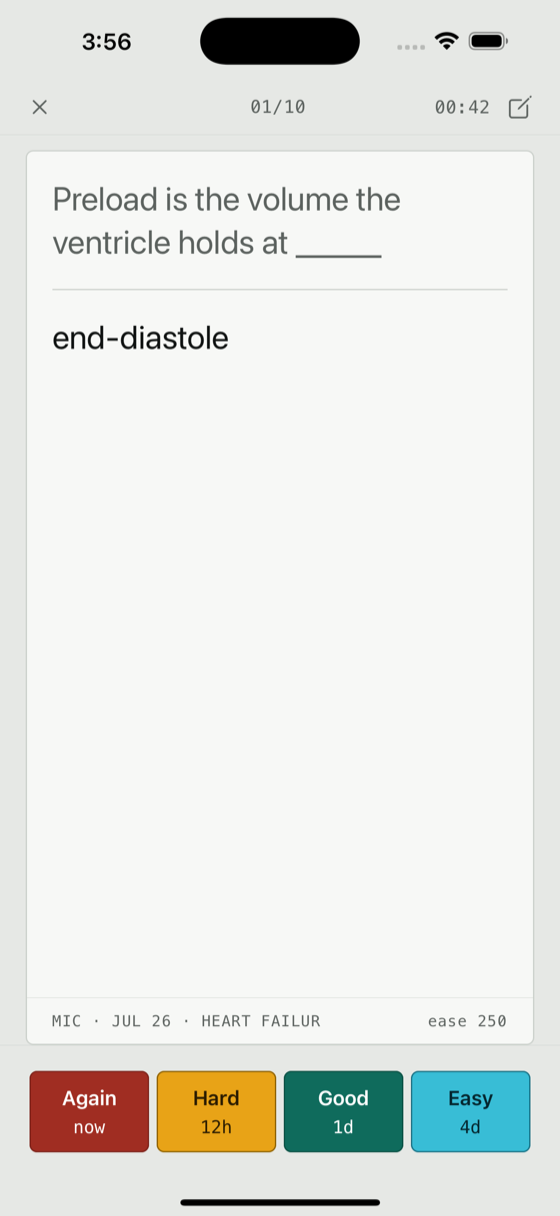
Cards carry their origin: what captured it, the day it arrived, and the note it came from. Weeks later, when a card surfaces and you cannot place it, you can go back to the thing it came from.
The line at the foot of the card is the source. It is on every card, in every session. The four keys print what pressing them will do before you press.
Most study apps start after the hard part
They assume the material is already typed in, already organised, already yours. Quat starts with what you already have: the page, the PDF, the lecture.
Photo
Point your camera at a textbook page, a whiteboard, a handout, or your own handwriting. Quat reads the text off it.
File
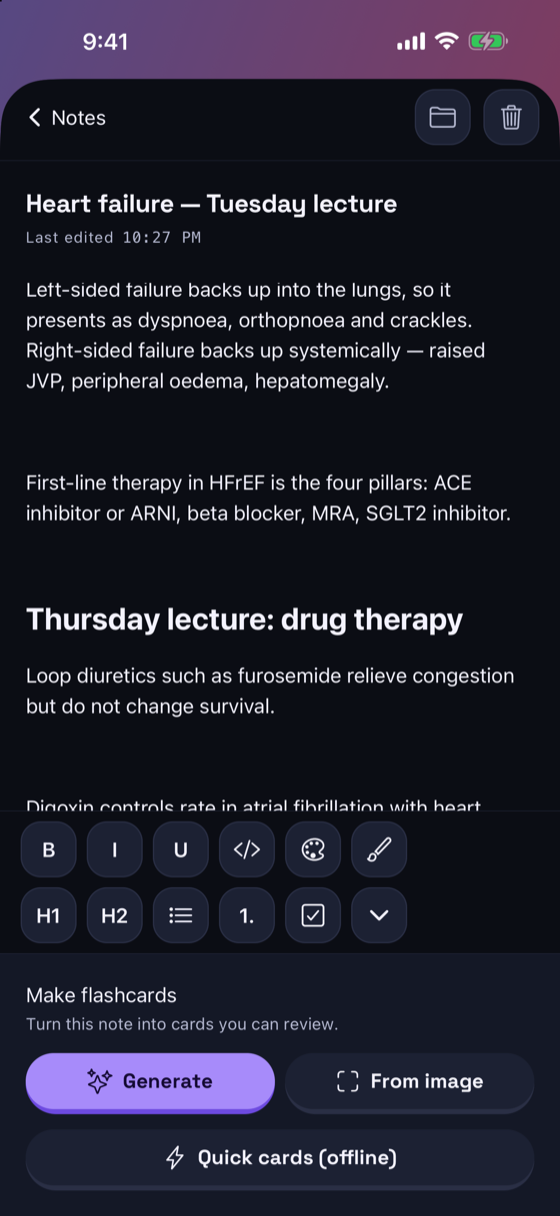
Choose a PDF, Word, PowerPoint or Excel document. Quat reads it and turns it into a note and cards.
Link
Paste a URL. Quat fetches the page, reads it, and summarises what matters. It reads the actual page, so it cannot invent what is not there.
Audio
Record a lecture, a seminar, or yourself talking through a topic. Quat transcribes it and pulls out what is worth remembering.
Study one subject at a time
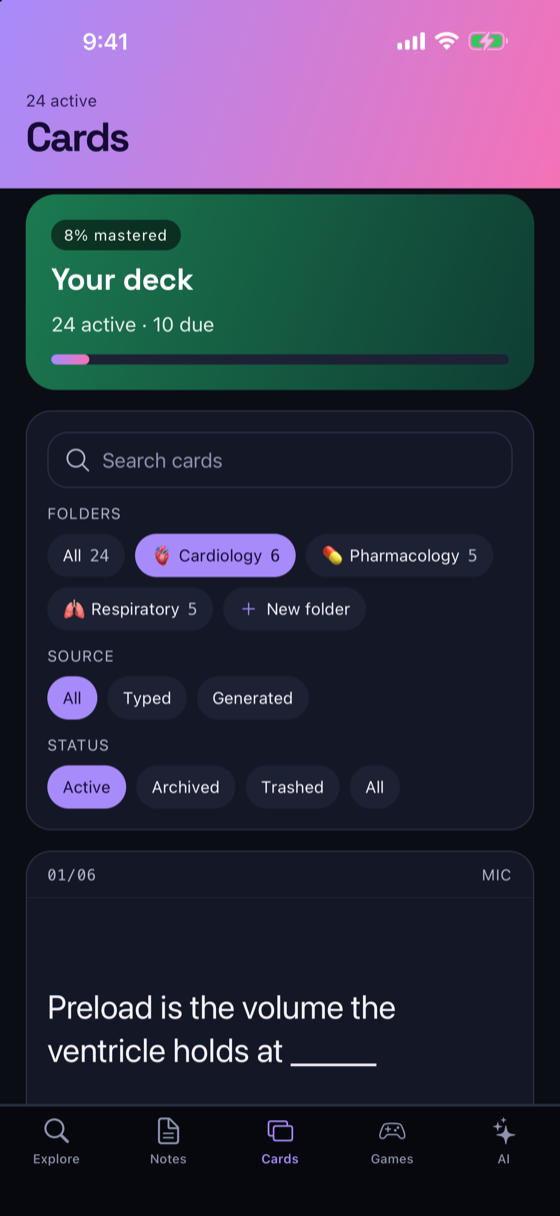
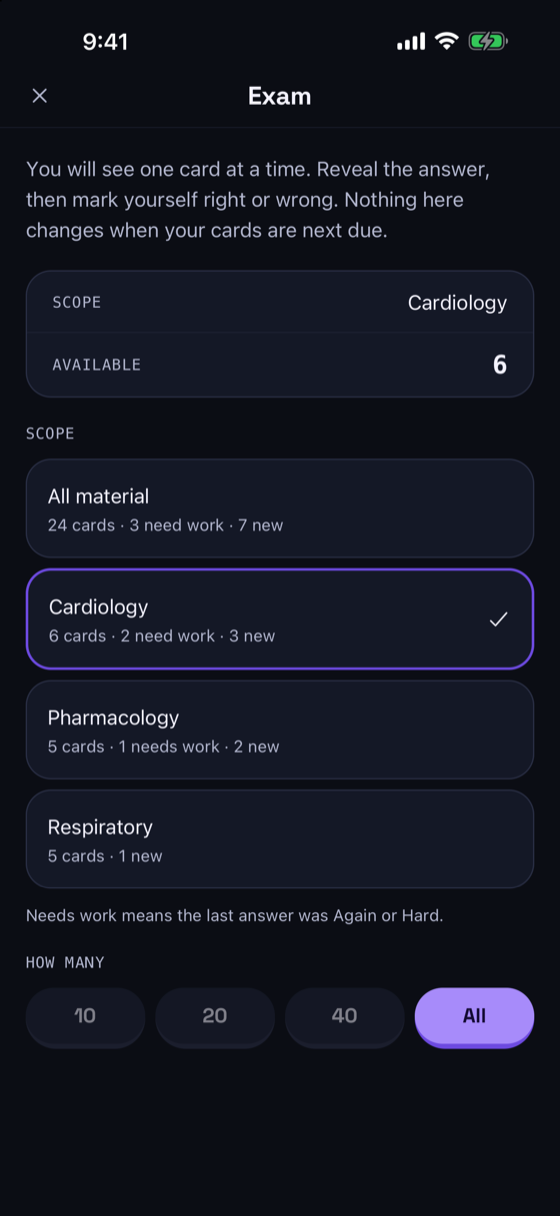
Put each course in its own folder, and every card made from it stays there. When an exam is coming, sit a practice exam on just that folder, and see what needs work before you start.
Folders
When you save a capture, choose its folder or make a new one right there. Cards made from a note stay in that note's folder.
Practice exams
Pick all your material or one folder, then 10, 20, 40 or every card. Mark yourself right or wrong; the misses go back into review with one button. The exam never changes when your cards are next due.
Add to a note
When a topic continues, add the new capture to the bottom of a note you already have. Its cards join that note, and making cards again uses only the new part.
Review that ends
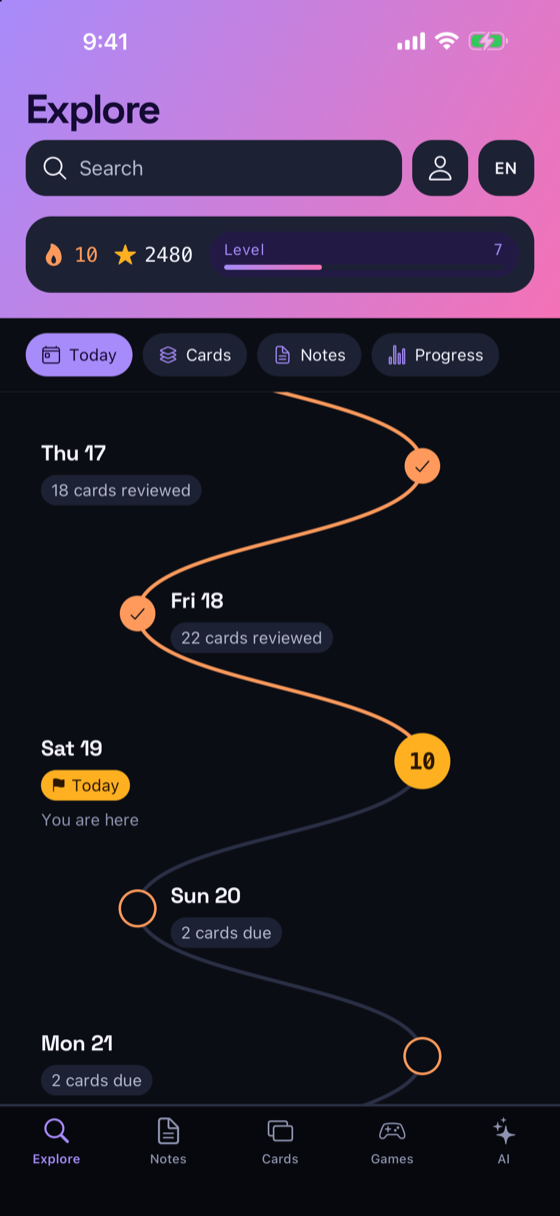
Spaced repetition schedules each card for the day you are about to forget it. When the day's cards are done, the session ends and tells you so. It does not invent more work to keep you in the app.
It celebrates what you actually did — a finished session, a level earned — never the mere fact that you opened the app, and nothing is locked behind a streak. Every number is set in a monospaced face with tabular figures, so counts and intervals stay legible at a glance.
Screens
Private by default
No account. No sign-up. Your notes and cards are stored on your device, not on a server.
- Nothing leaves your device unless you ask for it: a capture sends what you handed it, a tutor question sends the notes it answers from, and a shared deck is sealed on your device before it goes
- No analytics, no tracking, no advertising
- The App Store product page reads "Data Not Linked to You"
- Everything except capture works offline
What it costs
Everything that happens on your device — reviewing, exams, games, writing and editing your own notes and cards — is free without limit. A subscription raises the monthly ceilings on the parts that call a model: capture, the tutor, and card generation. $9.99 monthly or $79.99 a year, billed through your App Store account. It renews until cancelled, which you can do at any time in your account settings.
Also inside
- A tutor that answers from your own notes, and cites which one
- Tags, and search across your notes and cards
- Matching, speed round, quiz and a study timer
- Encrypted deck sharing — decks are sealed on your device before they leave it
- Card content in 21 languages
Guides
- Turn a recorded lecture into flashcards
- Photograph a page and turn it into flashcards
- Turn an article or a link into flashcards
- Turn a PDF into flashcards on your iPhone
- How many flashcards should you make per lecture?
- Where did this flashcard come from?
- Can you trust AI-generated flashcards?
- A study app with no account — what it gets you, and what it costs
- How do you know when you have studied enough today?
- How to get your flashcards out of an app
- I skipped a week and now I have 800 reviews
- Cards that will not stick
- Premade decks or make your own?
- How many flashcards should you review a day?
- What makes a good flashcard
- What to do with your lecture recordings
- Is rewriting your notes worth it?
- How to make a practice test from your notes
- How to study for several exams in the same week
- How to study for a cumulative final
- How to organize your notes so you can study from them
Reviewing, exams and games are free without limit.